
Play Like Before
In the old game, pieces were scattered across the whole screen, as if they had been tipped out onto the table, and almost everyone played with 60 pieces. That's still possible in the new game. You set it up once and the site remembers it.
In two steps
- Choose 60 pieces. Open a puzzle and pick 60 pieces in the first menu, top left. If you want larger pieces, choose 24 or 48; for more of a challenge, choose 100.
- Choose "Pieces spread out." In the menu right next to it, the default setting is Pieces around. Switch it to Pieces spread out. The pieces are then spread across the whole screen. This makes the pieces about twice as large.

Then click Play. That's it.
The difference
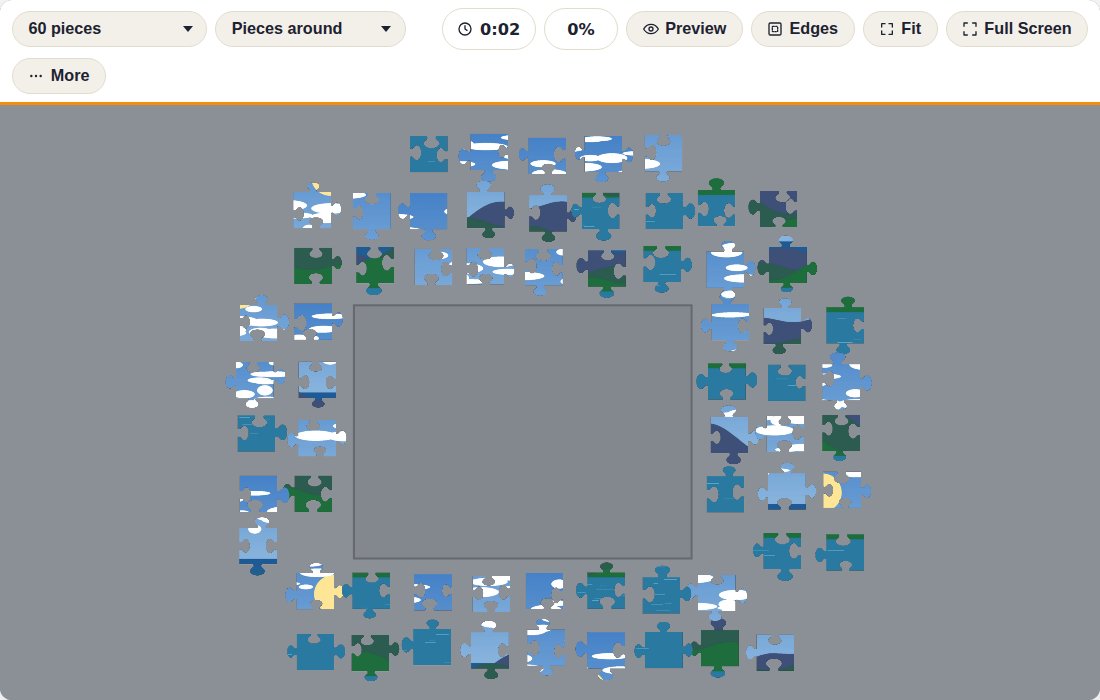
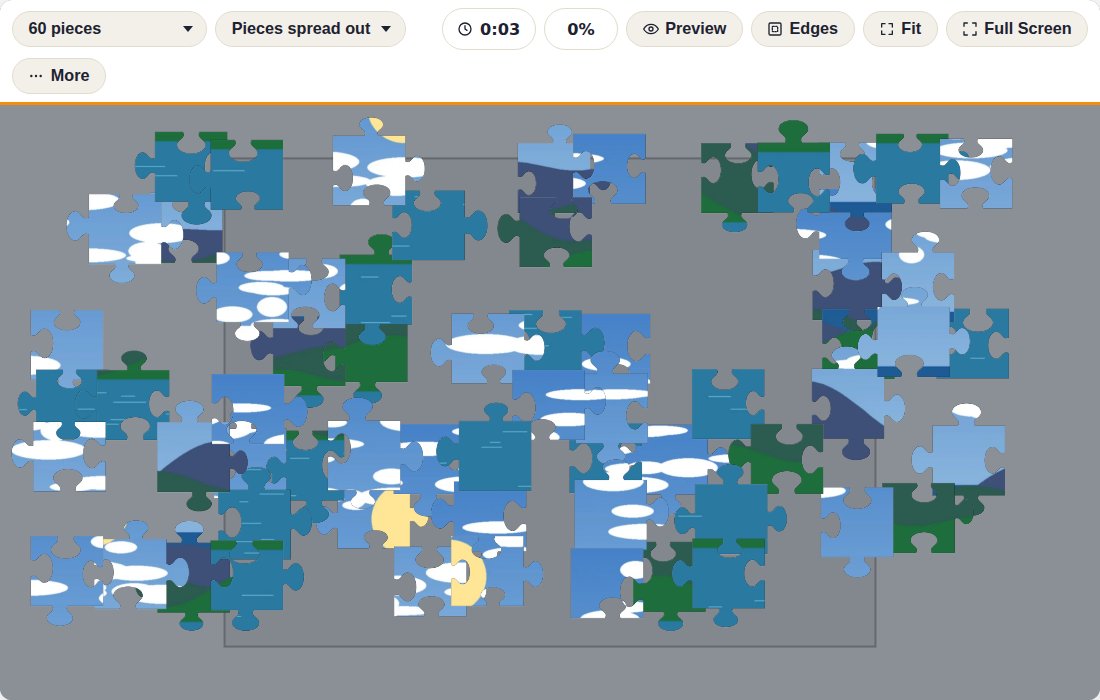
Tips for this way of playing
- Click Full Screen: you get even more room and the pieces get even bigger.
- With Edges, you temporarily see only the edge pieces; handy for getting started. Click again to see all pieces.
- With Preview, the photo appears as a transparent overlay over the puzzle, so you can see where each piece goes.
- To rearrange the loose pieces, click Tidy up in the toolbar (or press O). The loose pieces are laid out neatly again and placed pieces stay. The layout itself can be changed during play under the More button.
- The beige table from the old game is now the default. Under More you can pick another color, and there you'll also find Piece shape: choose Classic if you prefer the old-style knobs.
- Does the table move when you try to pick up a piece? Turn on Lock the view under More. The table then stays exactly where it is.
Questions about this
Do I have to set this up again for every puzzle?
No. The piece count and layout are remembered in your browser. Every next puzzle opens directly with 60 pieces and scattered pieces, until you change the setting yourself.
I don't see the "Pieces around" menu.
Refresh the page once (F5, or on a tablet, pull the page down). Your browser still had an older version of the game cached. On a narrow phone screen, this choice is under the More button during play, under "Layout."
The pieces keep appearing around the puzzle.
Choose the layout before play in the menu next to the piece count, or during play under the More button. If you were resuming a saved puzzle, choose "Pieces spread out" again: the loose pieces are immediately rearranged and your progress is kept.
Not working? Write to us at [email protected] and we'll help you out.