How to Sign In
Signing in keeps your puzzles and streak safe, and lets you play on any device. It takes three steps and about two minutes. You only do it once.
Watch the short video
The video has spoken explanation, so turn your sound on. It shows the same steps as below, and takes about 1½ minutes.
Before you start
Keep your email open on the same device, or on your phone. You will need it in step 2.
Press "Sign in"
Press the blue Sign in button at the top right of every page.

On a phone, the button is also at the top of the page. You can also go straight to your puzzles page.
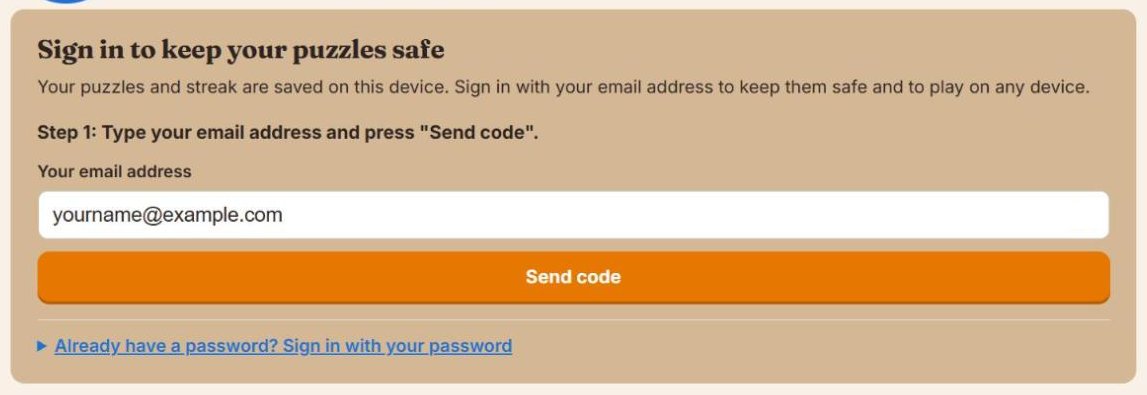
Step 1: Your email address
Type your email address in the white box. Then press the orange Send code button.
Step 2: The code from the email
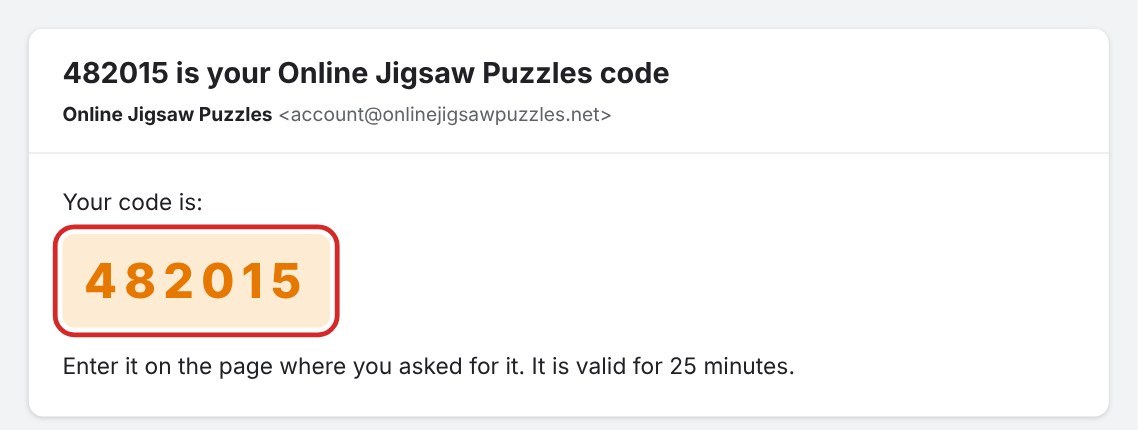
We send you an email right away. It comes from Online Jigsaw Puzzles. In the email is a code of 6 digits.
Go back to the puzzle page. Type the 6 digits in the box under The 6-digit code from the email. As soon as you have typed all 6 digits, you are signed in. You can also press Confirm.
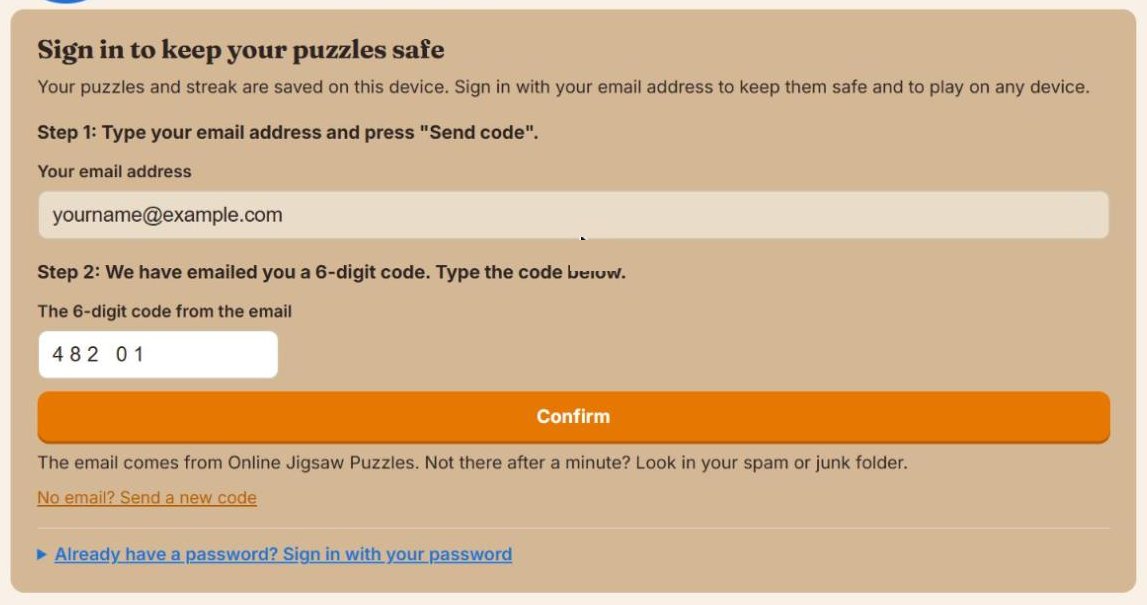
No email? Wait a minute and look in your spam or junk folder. Still nothing? Press No email? Send a new code.
Step 3: Choose a password
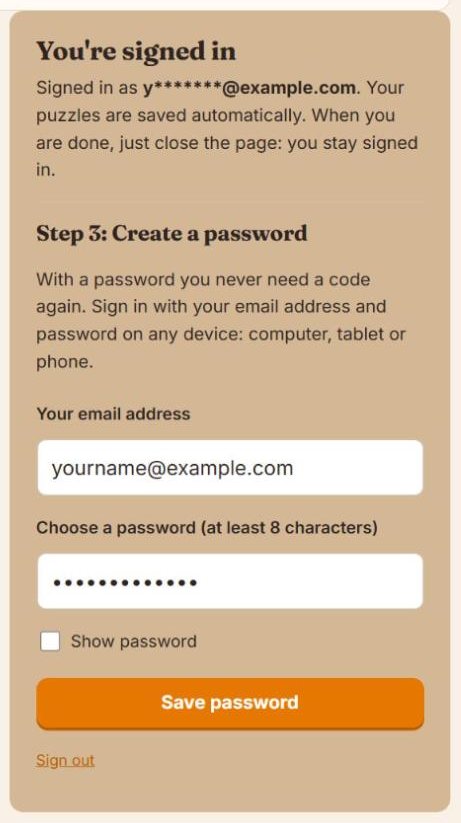
You are now signed in. Right below, you can choose a password. With a password, you never need a code again.
- Your email address is already filled in.
- Think of a password of at least 8 characters and type it in the second box. Tick Show password if you want to see what you type.
- Press Save password.
Write your password down somewhere safe.
Done!
You see a green message. From now on, your puzzles are saved automatically.
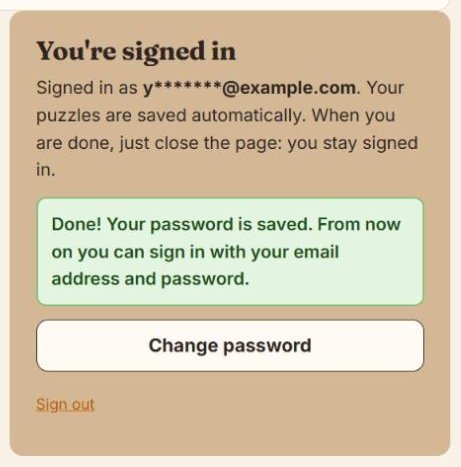
When you are done playing, just close the page. You stay signed in. At the top right you now see My puzzles instead of Sign in.

Playing on another device
Want to play on your tablet or phone as well? Open onlinejigsawpuzzles.net on that device and press Sign in. Then press Already have a password? Sign in with your password. Type your email address and password, and press Sign in.
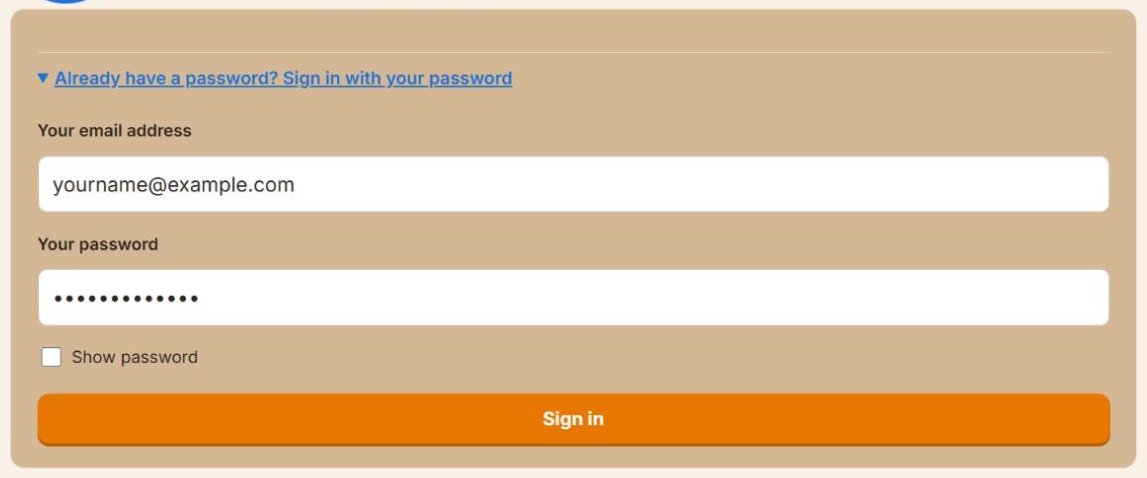
Forgot your password? Press Forgot your password? Get a code by email instead, right under the Sign in button. We email you a code. Type it, and you can choose a new password right away.
Questions
Do I have to sign in?
No. You can play every puzzle without signing in. Your puzzles are then saved on this device only. Sign in if you want to keep them safe, or if you want to play on more than one device.
I did not get the email with the code. What now?
Wait one minute. Then look in your spam or junk folder. Still nothing? Press "No email? Send a new code" and use the newest email. Check that your email address is spelled correctly.
The code does not work.
Use the code from the newest email. A code works for 25 minutes. Type the 6 digits only. If it still does not work, press "No email? Send a new code".
I forgot my password.
No problem. Press "Sign in", then "Already have a password?", and then "Forgot your password? Get a code by email instead". We email you a code. Type the code, and you can choose a new password right away. Your puzzles stay safe.
Do I need to sign out when I am done?
No. Just close the page. You stay signed in on this device. Only sign out on a computer that is not yours, for example in a library.
How do I play on my phone or tablet too?
Open onlinejigsawpuzzles.net on that device, press "Sign in" at the top, then "Already have a password? Sign in with your password". Type your email address and password. Your puzzles and streak are the same on every device.
Why am I asked to sign in again?
This happens if you signed out, if you use a private or incognito window, or if the browser history was cleared. Sign in again with your email address and password, or with a new code.
Still stuck? Write to us. The address is at the bottom of every page. We are happy to help.